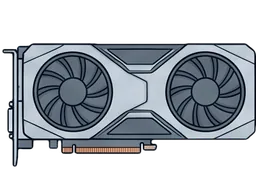
Refurbished NVIDIA and AMD graphics cards — Quadro and RTX professional boards for workstations, plus data-center accelerators for compute. Every card is tested under load before listing and covered by 90-day returns. Sizing a GPU for AI work? See our used GPU server buying guide and the local LLM hardware guide, or browse complete GPU servers built to order.
Used & Second-Hand Graphics Cards: Prices and What to Check
A used graphics card is one of the best value buys in PC hardware: tested second-hand video cards typically sell for 40–70% below new pricing, and a GPU that passes load testing has most of its service life ahead of it. At PCSP, entry-level used workstation cards (Quadro and NVS boards) start under $20, most mid-range professional GPUs run $50–$250, and RTX-class cards start around $200 — each one load-tested before listing and covered by 90-day returns.
Buying an old graphics card second-hand? Three things matter: artifacts (any visual glitching under load means a failing card), thermals (fans and thermal paste age — we service and verify cooling during testing), and history (24/7 compute or mining duty wears a card faster than workstation use). Every card we list has already passed those checks.
Professional & Workstation Graphics Cards
A professional graphics card — NVIDIA Quadro, the newer RTX A-series, or AMD Radeon Pro — differs from a gaming GPU in three ways: ISV-certified drivers validated for applications like SolidWorks, AutoCAD, Revit and Siemens NX; ECC VRAM that catches memory errors before they corrupt a render or simulation; and cooling designed for sustained load in multi-GPU workstation chassis rather than short gaming sessions.
Which pro graphics card fits your work? For CAD and BIM, mid-range boards like the Quadro P2200 or RTX A2000 handle most assemblies. 3D rendering, DCC and video editing benefit from more CUDA cores and VRAM — RTX A4000/A5000 class. For AI inference and GPU compute, high-VRAM professional video cards (RTX A6000, data-center accelerators) matter most. Pair one with a refurbished workstation, spec a complete GPU server, or start from your workload with our use-case solutions.
Every refurbished professional card we sell is tested under real load before listing and covered by 90-day returns — workstation-grade reliability without the new-unit markup.
General Graphic Card FAQ
What is a Graphics Processing Unit (GPU), and how does it work?
A Graphics Processing Unit (GPU) is a specialized electronic circuit designed to render images and videos to a computer’s display. GPUs accelerate the creation of images by performing parallel operations, which makes them highly efficient for graphics rendering and computation-heavy tasks. They consist of thousands of smaller cores capable of handling multiple tasks simultaneously, making them indispensable for tasks like gaming, 3D rendering, and scientific simulations.
How do I choose the right GPU for my needs?
Choosing the right GPU depends on your specific needs and budget. Consider the following steps:
- Identify Your Needs: Determine if you need the GPU for gaming, professional work, content creation, or general use.
- Performance: Research the performance levels of various GPUs in your intended tasks, considering factors like clock speed, memory size, and bandwidth.
- Budget: Establish a budget and find a GPU that offers the best performance within that range.
- Compatibility: Ensure the GPU is compatible with your system in terms of size, power supply, and connector availability.
- Brand & Warranty: Consider reputable brands like NVIDIA, AMD, ASUS, or EVGA, and check warranty and support options.
How do I install a GPU in my computer?
Installing a GPU involves several steps:
- Power Off the System: Ensure the computer is turned off and unplugged.
- Open the Case: Open the computer case to access the motherboard.
- Remove Old GPU: If there’s an existing GPU, remove it gently from the PCI Express slot.
- Insert New GPU: Securely insert the new GPU into the appropriate slot.
- Connect Power Cables: Connect any required power cables from the power supply to the GPU.
- Close the Case: Secure the case and reconnect all cables.
- Install Drivers: Turn on the computer and install the necessary drivers from the GPU manufacturer's website.
What is the difference between integrated and dedicated graphics cards?
- Integrated Graphics Cards are built into the motherboard or CPU and share memory with the computer’s RAM, offering a cost-effective solution for basic computing and low-end gaming.
- Dedicated Graphics Cards are separate cards with their own video memory (VRAM), providing higher performance and better graphics capabilities, suitable for gaming, content creation, and professional work.
What are the differences between gaming, workstation, and server GPUs?
- Gaming GPUs, like the NVIDIA GeForce or AMD Radeon series, are optimized for high frame rates and resolutions in video games, offering features like ray tracing and variable rate shading.
- Workstation GPUs, such as NVIDIA Quadro or AMD FirePro, are designed for professional applications like CAD, video editing, and 3D modeling, emphasizing precision and reliability.
- Server GPUs, like NVIDIA Tesla, are tailored for high-performance computing, machine learning, and data center tasks, providing extensive parallel processing capabilities.
Can I use multiple GPUs at once, and how do I set that up?
Yes, using multiple GPUs simultaneously is known as GPU scaling or multi-GPU configuration. To set this up:
- Check Compatibility: Ensure your motherboard and power supply can support multiple GPUs.
- Install GPUs: Install the additional GPUs in the available PCI Express slots and connect the required power cables.
- Connect GPUs: Use a bridge connector like SLI or CrossFire to connect the GPUs, if required.
- Configure Settings: Adjust settings in the operating system and drivers to enable multi-GPU mode, like NVIDIA SLI or AMD CrossFire, and configure application settings accordingly.
How do GPUs contribute to enhancing gaming performance?
GPUs enhance gaming performance by efficiently handling graphics-related computations, allowing for higher resolutions, smoother frame rates, and improved visual fidelity. Features like ray tracing simulate realistic lighting, shadows, and reflections, while technologies like DLSS (Deep Learning Super Sampling) use AI to produce images that look like a high-resolution without the heavy computational load. A powerful GPU can also support higher settings and multiple monitors, providing an immersive gaming experience.
Specific Graphic Card Type and Brand FAQ
What distinguishes Nvidia RTX series from the GTX series?
The Nvidia RTX series distinguishes itself from the GTX series primarily through the incorporation of ray tracing and Tensor cores. Ray tracing enables more realistic lighting, shadows, and reflections, enhancing visual realism. Tensor cores facilitate AI-driven processes like DLSS, optimizing performance, and visual fidelity. Additionally, RTX cards generally have higher performance, faster memory, and more features compared to their GTX counterparts.
How do AMD Radeon and Nvidia GeForce GPUs compare in terms of performance?
AMD Radeon and Nvidia GeForce GPUs both offer a range of options catering to different performance needs. Generally, Nvidia GeForce GPUs are known for their superior ray tracing capabilities and cutting-edge features, providing exceptional performance, especially in high-end models. AMD Radeon GPUs, on the other hand, often deliver better price-to-performance ratios and are praised for their value, especially for mid-range gaming. Performance comparison should ideally be made based on specific models and individual needs.
What are the primary functions of Nvidia Tesla GPUs?
Nvidia Tesla GPUs are designed primarily for high-performance computing, data science, and AI workloads. These GPUs are optimal for applications requiring extensive parallel processing, and they are widely used in research institutions, data centers, and supercomputers for simulations, deep learning, and scientific computations due to their advanced computational capabilities and memory bandwidth.
Why would someone choose a Quadro GPU over other types?
Someone would choose a Quadro GPU for professional applications that demand high precision and reliability. Quadro GPUs are designed for workstations dealing with CAD, 3D rendering, video production, and scientific simulations. They offer certified drivers optimized for stability and performance in professional software, ECC memory for error correction, and enhanced floating-point precision, making them suitable for tasks where accuracy is paramount.
Can you explain the differences between AMD's RX and FirePro series?
The AMD RX series is tailored primarily for gaming and mainstream applications, offering a range of options with good price-to-performance ratios. These GPUs focus on high frame rates and visual fidelity in gaming. In contrast, the FirePro series is designed for professional workstations, optimized for tasks like CAD, 3D modeling, and video editing. FirePro GPUs have certified drivers, enhanced precision, and support for advanced features necessary for professional workloads.
Which GPU brands are known for their durability and performance: EVGA, ASUS, or MSI?
EVGA, ASUS, and MSI are all reputable GPU brands known for their durability and performance.
- EVGA is renowned for its customer service and warranty policies, often providing high-quality cooling solutions and robust build quality.
- ASUS is recognized for its innovative designs, advanced cooling technologies, and reliable components.
- MSI is celebrated for its gaming-oriented features, thermal solutions, and aesthetic designs. Individual preference, specific model reviews, warranty, and after-sales service should be considered when choosing between these brands.
How does the performance of Zotac graphics cards compare to GIGABYTE?
Both Zotac and GIGABYTE produce reliable and competitive graphics cards. Zotac is known for offering compact designs without compromising on performance, making them suitable for smaller builds. GIGABYTE, on the other hand, often features advanced cooling solutions and customizable RGB lighting. Performance comparison should be based on specific models, as both brands offer a variety of options with differing performances, features, and prices.
Which GPU is better for gaming: Nvidia GeForce or AMD Radeon?
The choice between Nvidia GeForce and AMD Radeon for gaming largely depends on individual needs, preferences, and budget. Nvidia is often associated with higher performance and advanced features like ray tracing, making it a favorite for high-end gaming. AMD typically provides better value for money, especially in the mid-range segment, and is compatible with FreeSync monitors. Evaluate specific models, feature sets, performance benchmarks, and prices to determine which GPU aligns best with your gaming needs.
Compatibility and Optimization Graphic Card FAQ
How do I ensure a GPU is compatible with my computer's motherboard and power supply?
To ensure GPU compatibility with your motherboard and power supply:
- Motherboard Compatibility: Verify that the motherboard has an available PCIe slot of the correct type and size for the GPU.
- Power Supply Compatibility: Check the GPU’s power consumption and ensure the power supply can handle the additional load. Additionally, confirm that the power supply has the necessary connectors required by the GPU.
- Physical Size: Ensure that there is enough space within the case to accommodate the GPU, considering its length, height, and thickness.
- System Requirements: Review the GPU’s system requirements, including the recommended power supply wattage and required connectors, and compare them with your system's specifications.
What are the software requirements for different GPUs?
The software requirements for different GPUs primarily involve the operating system and drivers:
- Operating System: Ensure that your OS is supported. Most modern GPUs support Windows, macOS, and Linux, but specific support can vary.
- Drivers: Install the latest drivers from the GPU manufacturer's website. NVIDIA, AMD, and Intel provide drivers for their GPUs, optimized for different operating systems.
- Software Compatibility: For professional applications, check software compatibility with the GPU, as some software may have specific GPU requirements or optimizations.
How can I optimize my GPU’s performance for gaming or rendering?
To optimize GPU performance for gaming or rendering:
- Update Drivers: Regularly update GPU drivers to the latest version available from the manufacturer's website.
- Adjust In-Game Settings: Modify in-game graphics settings, balancing quality and performance to achieve smooth gameplay.
- Use GPU Control Panels: Utilize the control panels provided by GPU manufacturers to optimize settings, manage 3D settings, and adjust image quality.
- Maintain Your System: Keep the system clean, ensure proper airflow, and manage cables to avoid overheating. Regularly clean dust from fans and heatsinks.
- Optimize Power Settings: Adjust power management settings to favor maximum performance, especially while running demanding applications.
Is it possible to overclock any GPU, and is it safe?
Overclocking is possible on many GPUs, but it involves risks such as overheating, instability, and potential damage. Safety and stability can be maintained by:
- Monitoring Temperatures: Regularly monitor GPU temperatures and ensure they are within safe limits.
- Increasing Incrementally: Gradually increase clock speeds and voltages, testing stability at each step.
- Using Overclocking Software: Use reliable software like MSI Afterburner or EVGA Precision X1 for controlled and manageable overclocking.
- Ensuring Adequate Cooling: Maintain proper cooling to manage the additional heat generated by overclocking.
How do I update the drivers for my graphics card?
Updating GPU drivers involves the following steps:
- Identify Your GPU: Find the make and model of your GPU through the device manager or system information.
- Download Drivers: Visit the manufacturer’s official website (NVIDIA, AMD, or Intel) and download the latest compatible driver for your GPU model and operating system.
- Install Drivers: Run the downloaded installer and follow the on-screen instructions to complete the installation.
- Restart Your Computer: After the installation is complete, restart your computer to ensure the changes take effect. Remember to regularly check for driver updates to ensure optimal performance and security.
Professional Use and Specialization Graphic Card FAQ
What are the best GPUs for 3D rendering and animation?
For 3D rendering and animation, professionals often seek GPUs with high memory capacity, excellent computational performance, and support for real-time ray tracing. NVIDIA’s RTX A6000 and the Quadro GV100 are notable for their superior rendering capabilities and substantial VRAM. AMD’s Radeon Pro series, like the Radeon Pro VII, also offer robust performance and significant memory capacity, catering to demanding rendering tasks. Selecting the best GPU depends on specific project needs, software compatibility, and budget constraints.
Can you recommend a GPU for high-end professional video editing?
High-end professional video editing benefits from GPUs with ample VRAM, high bandwidth, and strong computational performance. The NVIDIA RTX 3090, with its extensive memory and powerful cores, is a commendable choice for intricate video editing workflows. AMD’s Radeon RX 6900 XT also serves as a viable option, delivering robust performance and substantial memory capacity. Professional editors should consider software compatibility, the level of real-time effects used, and resolution requirements when choosing an appropriate GPU.
Which GPUs are best suited for machine learning and AI?
GPUs tailored for machine learning and AI emphasize parallel processing capabilities, high memory bandwidth, and substantial VRAM. NVIDIA’s A100 Tensor Core GPU stands out for its exceptional performance in AI and machine learning applications, leveraging specialized cores and advanced features. The NVIDIA V100 and T4 are also well-regarded in this domain. The choice of GPU in this field hinges on the nature of the tasks, required precision, and framework compatibility, among other factors.
How do workstation GPUs like the Nvidia Quadro series differ from gaming GPUs in professional settings?
Workstation GPUs like the Nvidia Quadro series differ from gaming GPUs due to their optimization for professional applications. Quadro GPUs offer ECC memory for error correction, certified drivers for stability with professional software, and enhanced floating-point precision. These features are crucial for tasks like CAD, 3D rendering, and scientific simulations, where accuracy and reliability are paramount. While gaming GPUs prioritize frame rates and visual effects, workstation GPUs emphasize stability, precision, and compatibility in professional environments.
Why would a professional graphic designer need a high-end GPU, and which one is recommended?
A professional graphic designer may require a high-end GPU to handle intricate designs, high-resolution images, real-time rendering, and multitasking efficiently. A powerful GPU can expedite design workflows, improve application responsiveness, and enable the utilization of advanced design features. The NVIDIA RTX A5000 or the AMD Radeon Pro W5700 are recommended for their balance of performance, memory capacity, and features, catering to the diverse needs of graphic designers. The choice of GPU should consider software requirements, performance needs, and budget.
Troubleshooting and Maintenance Graphic Card FAQ
What are the common signs of GPU failure, and how can I troubleshoot them?
Common signs of GPU failure include:
- Artifacts and Glitches: Distorted graphics or unusual colors on the screen.
- Crashes and Instability: Frequent system or application crashes.
- No Display: The screen remains black or doesn’t display anything.
To troubleshoot:
- Check Connections: Ensure that the GPU is properly seated and all cables are securely connected.
- Update/Reinstall Drivers: Update to the latest drivers or reinstall them.
- Test with Another System: Try the GPU in a different computer to isolate the issue.
- Monitor Temperatures: Use software to monitor GPU temperatures and ensure they are within safe limits.
How do I maintain my GPU to ensure longevity and optimal performance?
To maintain GPU longevity and performance:
- Regular Cleaning: Periodically clean dust from the GPU fans and heatsinks to maintain airflow.
- Adequate Cooling: Ensure proper cooling solutions are in place and manage cables for optimal airflow within the case.
- Keep Drivers Updated: Regularly update GPU drivers to the latest version from the manufacturer’s website.
- Monitor Temperatures: Regularly check GPU temperatures and ensure they remain within safe limits.
What steps should I take if my GPU is overheating?
If your GPU is overheating:
- Improve Ventilation: Ensure the PC case has adequate ventilation and airflow.
- Clean Dust: Clean dust from the GPU, fans, and the surrounding areas.
- Reapply Thermal Paste: If the GPU is old, reapplying thermal paste can improve thermal conductivity.
- Adjust Fan Speeds: Use software to increase the GPU fan speed.
- Check Ambient Temperature: Ensure the room where the computer is located is not excessively hot.
How can I resolve issues with my GPU’s driver installation?
To resolve driver installation issues:
- Use DDU: Use Display Driver Uninstaller (DDU) to remove all traces of previous drivers before installing new ones.
- Install the Correct Driver: Ensure you are installing the correct driver for your GPU model and operating system.
- Disable Antivirus Temporarily: Some antivirus software may interfere with driver installations.
- Install Manually: If automatic installation fails, try installing the drivers manually by selecting the device in the Device Manager and updating the drivers from there.
What should I do if my computer doesn’t detect the new GPU?
If your computer doesn’t detect the new GPU:
- Check Physical Installation: Ensure the GPU is properly seated in the PCIe slot and power cables are connected.
- Check Power Supply: Verify that the power supply can handle the GPU’s power requirements.
- Update BIOS: Update the motherboard’s BIOS/UEFI to the latest version available from the manufacturer.
- Check with Another PCIe Slot: Try installing the GPU in a different PCIe slot if available.
- Test on Another System: If possible, test the GPU on another system to rule out a defective unit.
Price and Budget Graphics Card FAQ
How much should I expect to spend on a decent GPU for gaming?
Expect to spend between $200 and $500 for a decent gaming GPU, depending on the game requirements and the desired level of detail and resolution. Mid-range GPUs in this price range often offer the best balance between cost and performance for mainstream gaming. However, for high-end gaming with ray tracing and maximum settings, the price may exceed $1000.
What are the best budget GPUs available in the market?
Some of the best budget GPUs include the NVIDIA GTX 1650 Super and the AMD Radeon RX 5500 XT. These GPUs offer satisfactory performance for budget-conscious consumers and can handle most games at medium settings. The specific “best” budget GPU may vary depending on availability, pricing, and individual performance requirements.
Is it worthwhile to invest in a high-end GPU for casual gaming or standard computer tasks?
For casual gaming and standard computer tasks like web browsing and document editing, investing in a high-end GPU might not be cost-effective. Integrated graphics or entry-level dedicated GPUs are usually sufficient for such needs. A mid-range GPU can be a more reasonable choice for casual gamers who wish to enjoy better graphics without overspending.
Can I get similar performance from a mid-range GPU as a high-end GPU by overclocking?
While overclocking can improve the performance of a mid-range GPU, it typically cannot match the performance of a high-end GPU, especially in tasks that require higher computational power or more VRAM. High-end GPUs have more cores, higher memory bandwidth, and additional features that contribute to superior performance. Overclocking also increases the risk of overheating and can void the warranty, so it should be approached with caution.
How do the prices of GPUs from different brands like Dell, HP, and Lenovo compare?
Brands like Dell, HP, and Lenovo typically offer pre-built systems, and their GPU pricing is integrated into the overall system cost. However, when comparing standalone GPU brands like EVGA, ASUS, MSI, etc., prices can vary based on factors like clock speeds, cooling solutions, and aesthetic features. It’s essential to compare specific models with similar specifications to understand price variations accurately. Generally, prices are competitive, and differences often relate to brand reputation, warranty, and additional features rather than performance disparities.
Specific Use Cases Graphics Card FAQ
What is the best GPU for running resource-intensive games?
For resource-intensive games, a high-end GPU is essential to manage complex textures, real-time ray tracing, and maintain smooth frame rates. The NVIDIA RTX 4090 is a top contender, offering extensive VRAM and exceptional computational performance. Similarly, the AMD Radeon RX 6900 XT provides robust performance, making it suitable for demanding gaming scenarios. The choice between these and other high-end options should consider game requirements, budget constraints, and feature preferences like ray tracing and DLSS.
Which GPU should I consider for VR gaming?
For an immersive and smooth VR gaming experience, a GPU with high frame rates and low latency is crucial. The NVIDIA RTX 4080 and the AMD Radeon RX 6800 XT are excellent choices, delivering outstanding performance and support for the latest VR technologies. When choosing a GPU for VR, consider the recommended specifications of your VR headset, the intended VR content, and your budget.
How can I find a suitable GPU for cryptocurrency mining?
A suitable GPU for cryptocurrency mining should have a high hash rate, efficient power consumption, and good cooling. The NVIDIA RTX 3060 Ti and the AMD Radeon RX 5700 XT are popular choices among miners for their balance between performance and efficiency. It’s important to consider the return on investment, including the cost of the GPU, electricity, and other associated expenses, and to keep in mind the availability and pricing fluctuations due to the demand from miners.
Which GPUs are best for multi-monitor setups?
For multi-monitor setups, look for GPUs with multiple output ports and substantial VRAM. The NVIDIA RTX 3070 or the AMD Radeon RX 6700 XT are suitable options, supporting multiple displays with high resolutions. Ensure that the chosen GPU can handle the combined resolution of all monitors and consider the types of tasks to be performed, whether it’s gaming, productivity, or professional applications.
Can I use consumer GPUs for server applications, or do I need specialized ones?
While consumer GPUs can be used for some server applications, specialized server GPUs like NVIDIA’s A100 or Tesla series are designed to handle high computational loads, parallel processing, and offer features like error-correcting code (ECC) memory for increased reliability. Specialized GPUs are better suited to the demands of server environments, such as data centers, where stability, performance, and error handling are crucial, especially in applications like machine learning, scientific simulations, and high-performance computing.
Advanced Technical Graphics Card Questions FAQ
How does ray tracing technology in GPUs enhance graphic fidelity?
Ray tracing technology significantly enhances graphic fidelity by simulating the way light interacts with objects to generate real-world reflections, shadows, and illumination within a virtual environment. It traces the path of rays of light as they travel through the scene, providing highly realistic lighting, shading, and reflections in real-time, creating more immersive and visually stunning gaming and content creation experiences. However, ray tracing is computationally intensive, and thus it benefits greatly from dedicated hardware found in modern GPUs, like NVIDIA’s RTX series.
What is the significance of CUDA cores in Nvidia GPUs?
CUDA cores (Compute Unified Device Architecture cores) are parallel processors in Nvidia GPUs that handle computational tasks, enabling the GPU to execute multiple tasks simultaneously. They play a crucial role in determining the computational power of the GPU. More CUDA cores generally mean better performance, especially in tasks like gaming, rendering, and simulations, allowing for higher frame rates, quicker rendering times, and enhanced real-time interactions. The efficiency and design of the architecture also play a significant role in overall performance, so CUDA core count is just one aspect of GPU performance.
Can you explain the role of VRAM in a GPU's performance?
Video RAM (VRAM) is a high-speed memory used to store graphical data, like textures, frame buffer, and shadow maps, allowing quick access by the GPU. The amount of VRAM is critical for rendering high-resolution images and managing large graphical data sets, as seen in high-definition games and professional graphics workloads. Having more VRAM enables the GPU to handle higher resolutions, more detailed textures, and complex 3D models without accessing slower system RAM or storage, avoiding potential bottlenecks and ensuring smoother performance.
How does bandwidth affect the performance of a graphics card?
Bandwidth refers to the amount of data that can be transferred between the GPU and VRAM in a given time. Higher memory bandwidth allows for faster reading and writing of data, impacting the rendering of high-resolution textures and complex 3D models. It's especially crucial in scenarios with extensive graphical processing requirements, such as gaming, 3D rendering, and video editing. A GPU with insufficient bandwidth may experience performance bottlenecks, leading to stuttering, lag, or reduced visual quality, particularly in graphically intensive applications.
What is the purpose of Tensor Cores in Nvidia RTX GPUs?
Tensor Cores are specialized hardware units in Nvidia's RTX GPUs designed to accelerate artificial intelligence (AI) and deep learning computations. They perform matrix operations, which are foundational to neural network processing, at a higher speed compared to traditional CUDA cores. Tensor Cores enable features like DLSS (Deep Learning Super Sampling), which uses AI and machine learning to produce images that look like a high-resolution without the heavy computational load. By accelerating AI-based functionalities, Tensor Cores enhance gaming performance and visual fidelity and are instrumental in professional workloads like machine learning model training and inference.
Quick Answers: Buying from PCSP
Are refurbished graphics cards reliable?
Every card is tested under load before listing — not just a boot check — and covered by 90-day returns. Professional NVIDIA Quadro/RTX and data-center boards are built for sustained 24/7 workloads, so a tested unit has plenty of service life left.
Which GPUs should I look at for AI and machine learning?
VRAM capacity is usually the deciding factor: data-center accelerators (A100, L40S class) suit training and large-model inference, while workstation RTX boards handle smaller models and development. Tell us your workload and we will recommend a card — or a complete GPU server built around it.
Will a data-center GPU work in my machine?
Passively cooled accelerators need server-chassis airflow and specific power cabling — they will overheat in a desktop tower. Workstation cards cool themselves and fit standard PCIe slots. Send us your chassis and power supply details and we confirm fit before you buy.
Why choose a Quadro/RTX professional card over a gaming card?
Professional boards carry ISV-certified drivers for CAD, DCC, and engineering applications, plus ECC memory options on higher-end models. For AutoCAD, SolidWorks, and similar workloads, the certified path avoids driver headaches that gaming cards can introduce.
Is it safe to buy a used or second-hand graphics card?
Yes, when it has been load-tested. GPUs have no moving parts other than fans, and a card that runs clean under sustained load — no artifacts, stable clocks, healthy temperatures — will typically serve for years. The risk with untested private-party cards is unknown history; buying from a seller that tests under load and offers returns removes it.
How much does a used graphics card cost?
At PCSP, used entry-level workstation GPUs start under $20, mainstream professional cards (Quadro P-series and similar) mostly run $50–$250, and RTX-class professional cards start around $200 — roughly half or less of equivalent new pricing. Data-center accelerators vary more widely with VRAM and generation; check the live listings for current stock.