

Use-Case Solutions
Need a new machine but not sure where to start? Browse workstations configured for the software you actually run — each build vetted by PCSP and based on real customer setups.
Talk to an ExpertConfiguring a new workstation or server can be daunting. With so many brands, models, generations, processors, memory, and storage options to weigh, it's hard to know where to start.
PCSP makes it simpler. We've compiled configurations from real PCSP customers and grouped them by use case. Pick what you'll use the machine for, then choose an Entry-Level, Advanced, or Professional build — sorted by price and capability. Want to fine-tune the specs? Every chassis is also available as a Build-Your-Own listing.
Choose Your Use Case

General / Office
Photo Editing & Graphic Design
Video Editing
Music Production

AI / Machine Learning
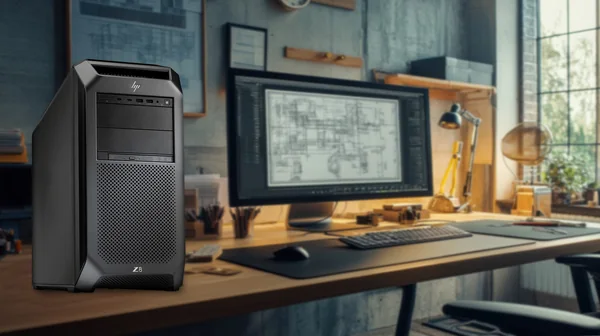
CAD / CAM

Windows 11
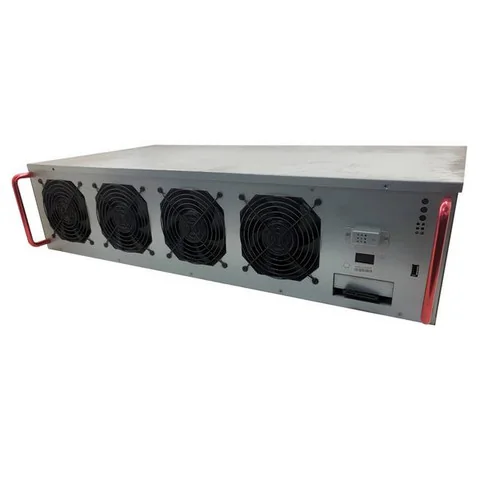
Crypto Mining
All Use-Case Configurations
Use Case Solutions — Workstations & Servers Built for Your Workload
Not sure which workstation or server you need? Start with the workload instead of the spec sheet. Each Use Case build is a refurbished workstation or server pre-configured for a specific job — the right CPU core count, RAM capacity, GPU class, and storage layout for the software you actually run. Every build is fully customizable, tested before shipping, and backed by a free 1-year warranty (extendable to 5 years).
Browse by Workload
- AI / Machine Learning — multi-GPU workstations for training and inference (TensorFlow, PyTorch).
- Video Editing — CUDA-accelerated builds for Premiere Pro, DaVinci Resolve, and Final Cut.
- Photo Editing & Graphic Design — tuned for Photoshop, Lightroom, Illustrator, and Affinity.
- CAD / CAM — certified workstations for SolidWorks, AutoCAD, and Revit.
- Music Production — quiet, low-latency rigs for Pro Tools, Ableton, and FL Studio.
- General / Office — reliable, affordable desktops for everyday business work.
- Windows 11 — systems that meet Windows 11 Pro requirements out of the box.
- Crypto Mining Gear — GPU-dense hardware for mining and compute.
Use Case vs. Build-Your-Own
A Use Case build starts from a workload and gives you a configuration already specced for it — the fastest path if you are not a hardware specialist. Build-Your-Own starts from a bare chassis and lets you choose every component. Either way you can swap any part (CPU, RAM, GPU, storage, OS) before checkout, with pricing that updates in real time.
Frequently Asked Questions
What are Use Case configurations?
Use Case configurations are pre-built workstation and server setups optimized for specific workloads — AI/machine learning, video editing in DaVinci Resolve or Premiere Pro, CAD with SolidWorks, virtualization with VMware or Hyper-V, music production, and more. Instead of researching component compatibility yourself, you start with a build that is already specced for the software and workload you will run, then customize from there.
What is the difference between a Use Case build and a Build-Your-Own?
Build-Your-Own (BYO) starts with a base chassis and asks you to choose every component. Use Case starts with a workload (e.g., AI Training Workstation) and provides a recommended configuration tuned for that workload — appropriate CPU core count, RAM capacity, GPU class, and storage layout. Use Case is faster if you are not a hardware specialist; BYO is better if you have specific component preferences.
Can I modify a Use Case build?
Yes. Each Use Case build is a starting point — every component (CPU, RAM, GPU, storage, OS) can be swapped before purchase. Use the BYO interface to upgrade or substitute parts, and the price updates in real time.
Are Use Case builds covered by the same warranty as regular workstations?
Yes. Every Use Case workstation or server ships with the free 1-year standard warranty covering parts, labor, and shipping. You can extend up to 5 years and add on-site service tiers (PCSP Business Advantage) at checkout — the same options available on any configured unit.
What use cases do you cover?
AI / Machine Learning, Video Editing (Premiere Pro, DaVinci Resolve, Final Cut), 3D Rendering (Blender, V-Ray, Cinema 4D), CAD / CAM (SolidWorks, AutoCAD, Revit), Virtualization (VMware vSphere, Microsoft Hyper-V, Proxmox), Music Production (Pro Tools, Ableton, FL Studio), Photo Editing (Photoshop, Lightroom), Database & Application Hosting, GIS (ArcGIS, QGIS), and General Office computing.
Browse Configurations by Software
Not sure which build fits your workflow?
Tell us the software you run and your budget — our team will spec the right refurbished workstation for you.